Nothing changes without a backup
Before each tweak, ctrl saves the original value. Undo one tweak, everything from a time period, or everything at once.

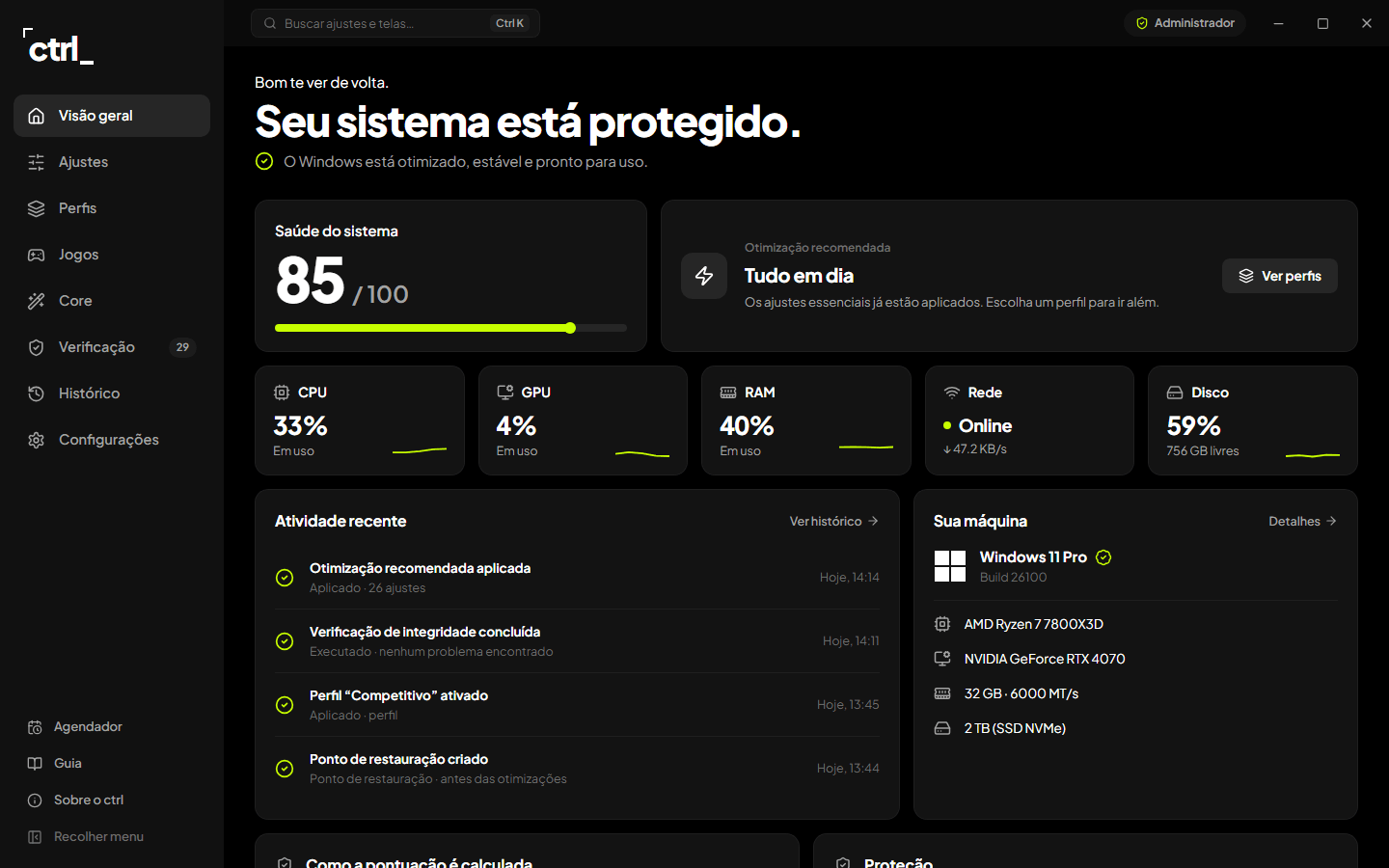
An optimizer that saves the original value of every tweak, checks whether Windows undid anything and lets you roll back whenever you want.
Why ctrl
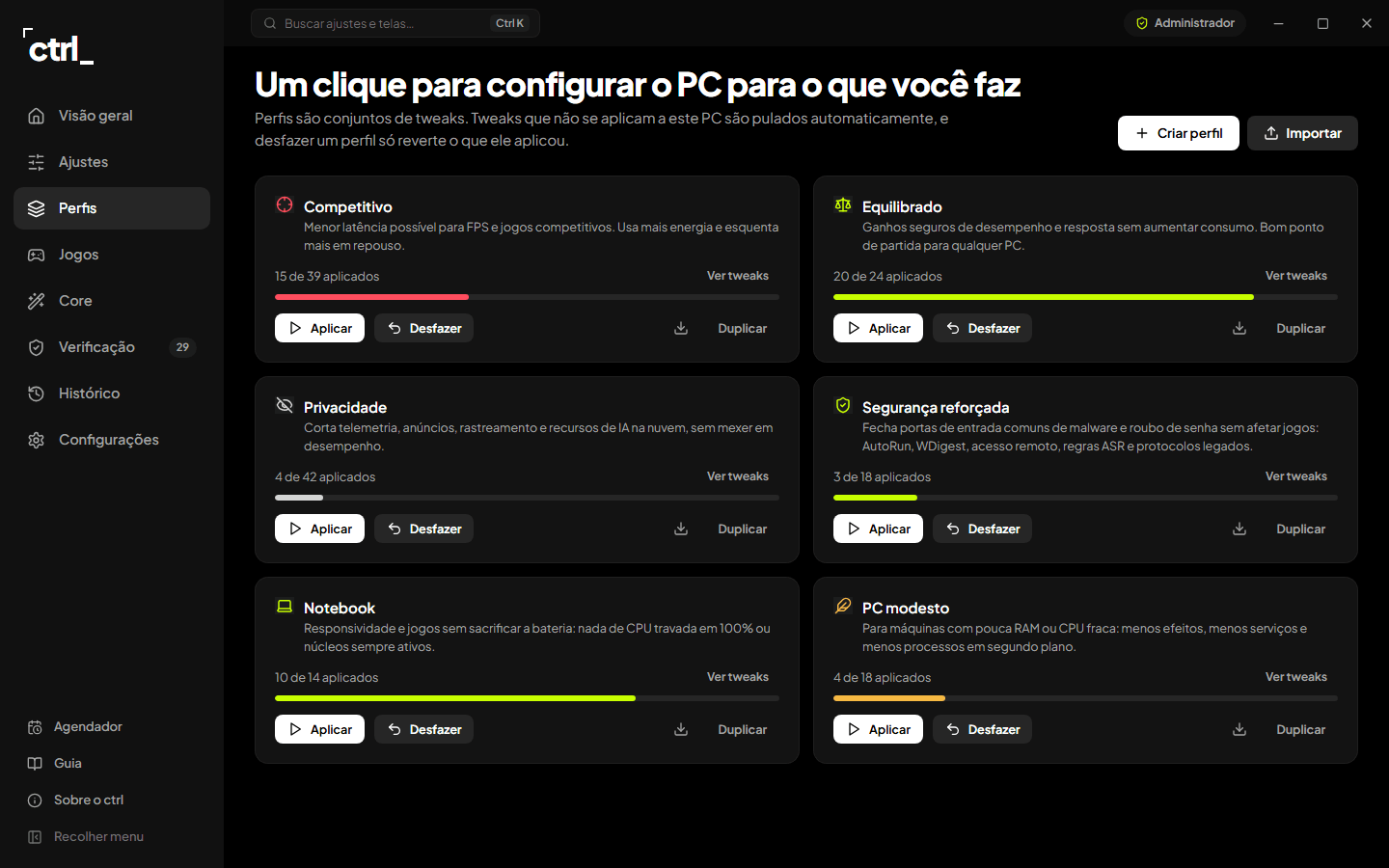
Tweak lists and paid optimizers change the registry without telling you what. ctrl was built the other way around.
Before each tweak, ctrl saves the original value. Undo one tweak, everything from a time period, or everything at once.
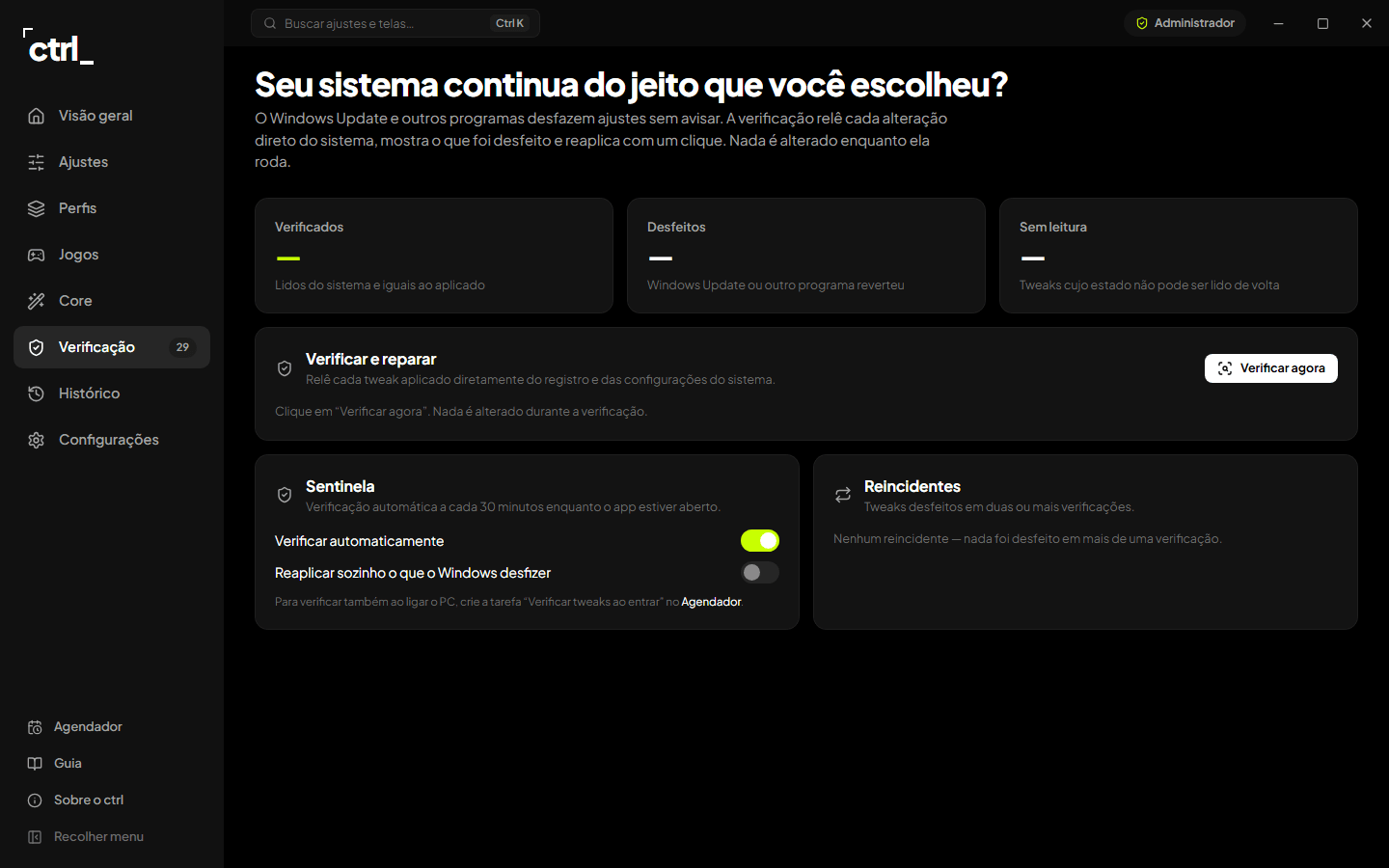
Verification re-reads each change straight from the system and reapplies it in one click. Sentinel does that on its own every 30 minutes, even with the window closed.
Detects CPU, GPU, laptop or desktop, and Windows 10 or 11. Whatever doesn't suit your hardware is hidden, with the reason.
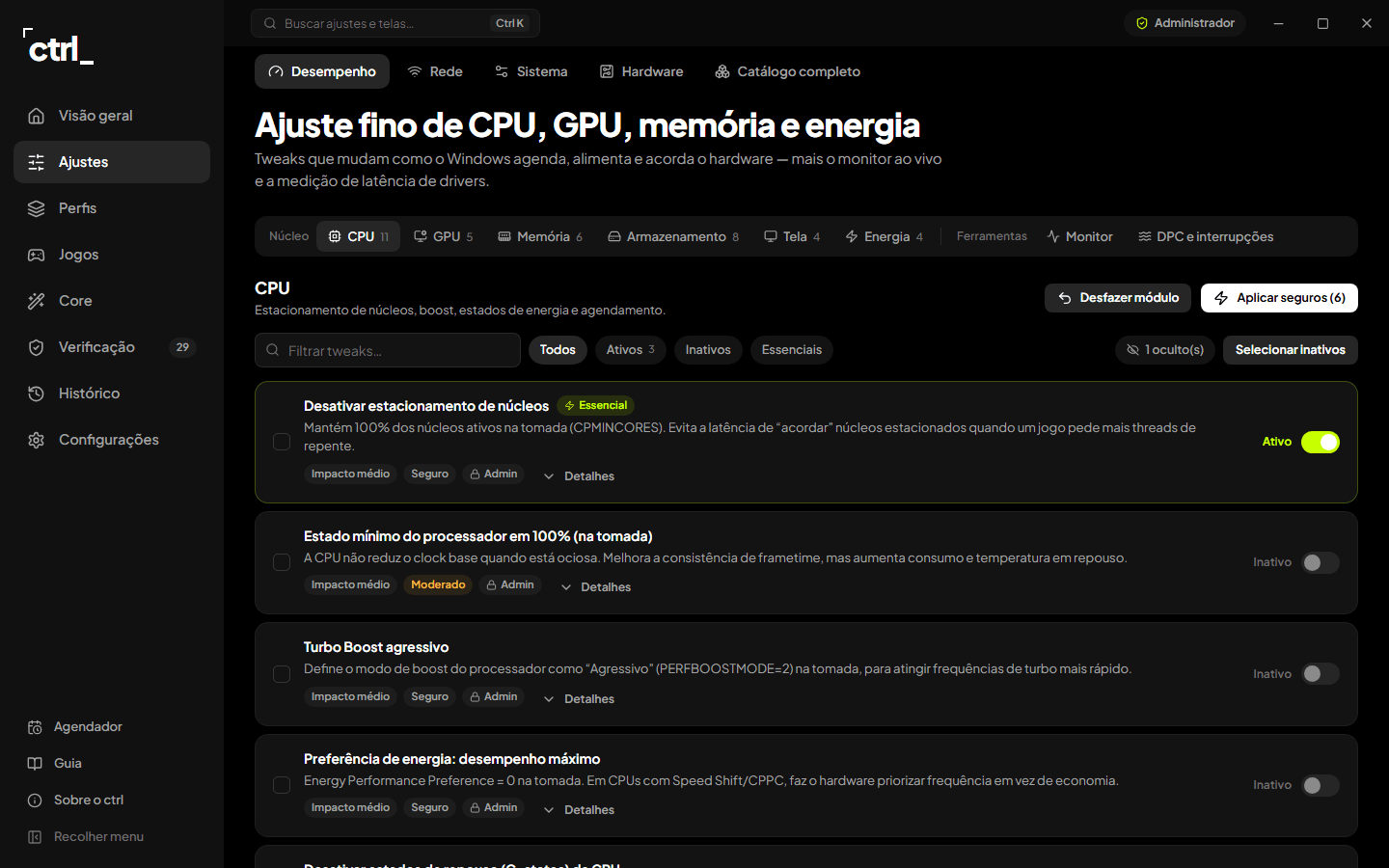
Performance, network, system and hardware: CPU, GPU, power, DPC latency, bufferbloat, DNS, TCP, cleanup, privacy and app removal.
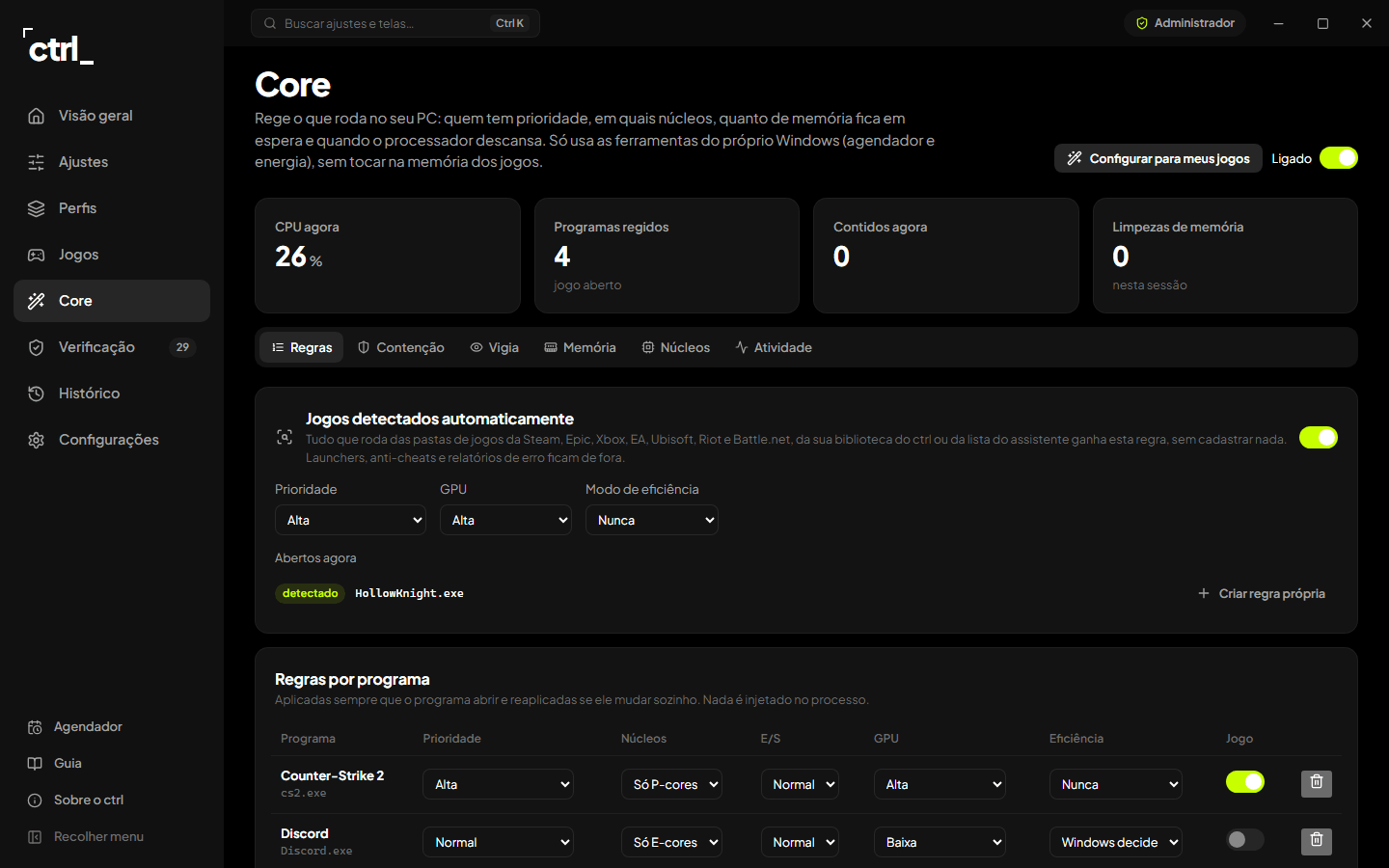
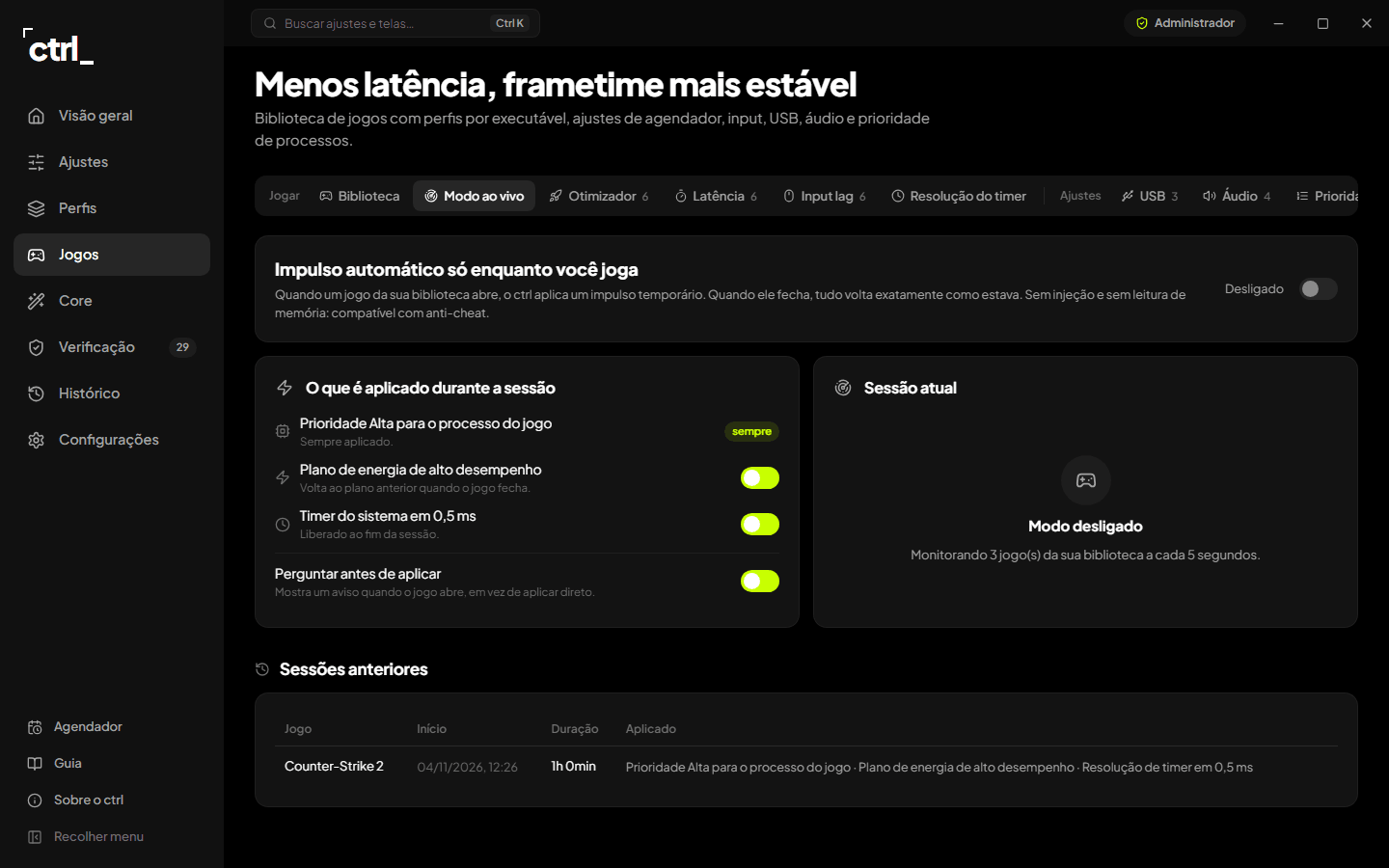
Priority, P-cores and E-cores, memory and cores per game, with games detected automatically, plus Live mode. No injection, anti-cheat friendly.
Get it now and become a founder: lifetime access, on 1 PC. The account only keeps the PC name and activation dates; nothing you do in the program leaves your PC.
What's new in version 2.0
Already installed? ctrl notifies you and updates in place, keeping your tweaks. Full notes on GitHub.
Inside
Getting started
Questions
More details in the ctrl repository.
Yes. ctrl is free with an account on the site. Get it now and become a founder: lifetime access at no cost to every future version, on 1 PC at a time. It just can't be sold or redistributed.
So ctrl stays free for the people who got here first, and so we know how many people use it. Activation happens in the browser: ctrl shows a code, you confirm it on the site (one click with Google) and that's it. New PC? Release the slot in My account, up to 3 times a month.
It depends on the PC. The biggest gains usually come from the power plan, Game DVR turned off, MMCSS, mouse acceleration and background processes. Use the live monitor and the DPC measurement to compare before and after.
They don't apply to your hardware, like AMD tweaks on an NVIDIA PC. The reason shows under Ajustes › Hardware › Sua máquina (Tweaks › Hardware › Your machine).
Yes. It only changes the process priority, the power plan and the timer resolution, things Windows itself exposes. It injects nothing and doesn't read the game's memory.
For games, yes: priority, core affinity, GPU and I/O priority, efficiency mode, background containment (like ProBalance), memory cleanup (like ISLC) and cores (like ParkControl). Use one or the other: together they undo each other, and Core warns you if Lasso is open.
No. It only uses Windows' own scheduler and power features, the same functions Process Lasso uses. It never reads or writes the game's memory and injects nothing.
Only what the license needs: the PC identifier and name, at activation and renewal (every few days, when online). There is no telemetry: nothing you do in the program is sent. The network is also used for the tests you ask for (ping and DNS) and to check whether a new version is out.
Yes, it stays in the tray, next to the clock, so Sentinel and Live mode keep working. Click the icon to reopen or Sair (Quit) to close it. You can turn this off under Configurações › Geral (Settings › General).
Since 1.3, from the app itself: when a new version is out, "New version" appears with a window showing what's new; "Install now" downloads, verifies and installs. Tweaks, backups and settings carry over.
ctrl changes Windows settings. Every tweak has a backup and can be undone, but the software is provided as is, with no warranties. Keep System Protection on and a backup of your files. From version 2.0 on, use is governed by the ctrl terms of use (mojinho.com.br/ctrl/termos); earlier versions remain under the PolyForm Noncommercial license.